
How to Build a Simple Visual Identity Without a Design Team
You don't need a design team or a rebrand budget to look consistent. You need a handful of decisions, written down once, and applied the same way every time you publish.
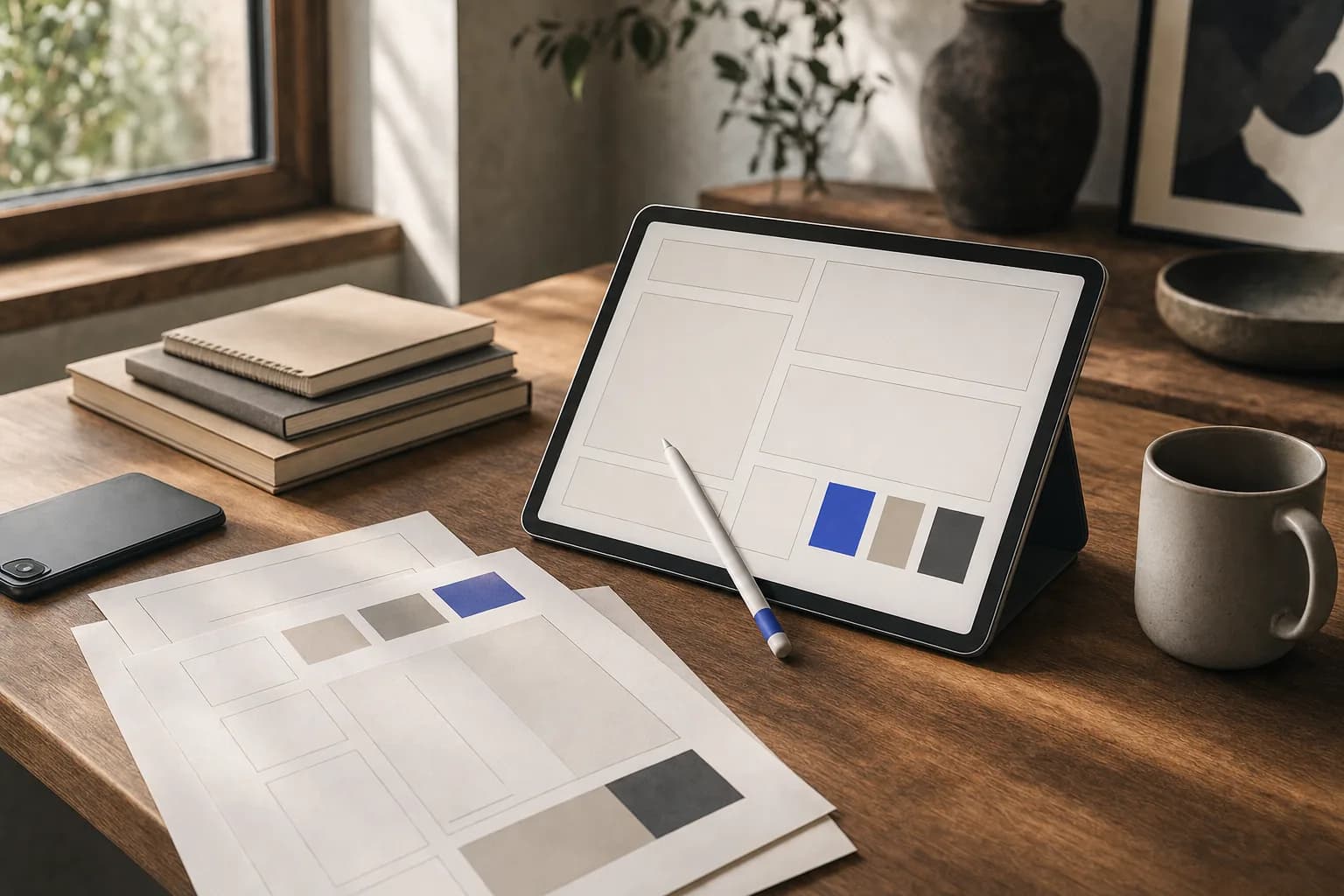
Most creators think they have a design problem. What they usually have is a decision problem. Every post starts from scratch — a new font because it looked good in the template gallery, a new color because the last thumbnail felt flat, a new crop because the photo was slightly off. The work isn't bad. It just doesn't accumulate. Nothing from Tuesday's post makes Thursday's post easier to recognize.
A visual identity is simply the set of choices you stop re-making. It's not a logo, and for most creators it shouldn't start as one. It's the answer to: what does my work look like when someone sees two seconds of it in a feed, with the sound off and my name cropped out? You can answer that with free tools, your phone, and about an afternoon of deliberate thinking — as long as you treat it as a system to maintain rather than a one-off design project.
Start With Recognition, Not Aesthetics
The goal of a visual identity for creators is not beauty. It's recall. Beauty is subjective and expensive to chase; recall is measurable in your own feed. Open your profile grid, scroll your last twenty posts, and squint until the details blur. If the posts dissolve into a generic smear, you have no identity yet. If two or three visual traits survive the blur — a dominant color, a consistent crop, a recurring background — those traits are already doing the work, and your job is to make them deliberate.
This reframe matters because it lowers the bar in a useful way. You don't need taste that rivals a studio. You need repetition that rivals a studio. A creator who films every video in the same corner of the same room, in the same two sweaters, with the same warm lamp just off-frame, will read as more intentional than a creator cycling through five beautifully lit but unrelated setups. Repetition is the one design advantage you can buy with discipline instead of money.
Before choosing anything, write a short brief for yourself. Three lines is enough: who the work is for, what feeling it should carry, and what it should never feel like. A finance creator for first-time investors might write: "for people intimidated by money talk; should feel calm and plainspoken; should never feel like a trading floor or a hype reel." That last line does more work than people expect — it rules out the neon-gradient, countdown-timer visual language that would otherwise creep in every time a post underperforms and you reach for urgency.
Make Four Decisions and Write Them Down
A workable identity needs fewer components than most brand guidelines suggest. Four decisions cover the vast majority of what you publish, and each one can be made in under an hour if you stop treating it as a search for the perfect option and start treating it as a commitment to a good-enough one.
- Color: one dominant color, one neutral base, one accent used sparingly. Three is a system; six is a mood board. Pull the dominant color from something you already own and film near — a wall, a jacket, a book spine — so your real-world footage matches your graphics without editing.
- Type: two typefaces maximum, and honestly one is fine. Pick a headline face with a distinct personality and set everything else in a plain, highly legible companion. Free libraries like Google Fonts are more than sufficient; the differentiator is using the same pair for eighteen months, not finding an obscure one.
- Framing: how your subject sits in the frame. Centered or offset, tight or wide, eye-level or slightly below, horizontal or vertical as the native format. Decide once, then stop deliberating per shoot.
- Signature element: one small repeated device that marks something as yours — a thick bottom bar on every thumbnail, a consistent corner placement for your handle, a hand-drawn underline, a specific transition. This is the cheapest recognition you can manufacture.
Then write these into a single page. Not a 40-slide brand book — a document with hex codes, font names and sizes, and two or three screenshots showing correct use. The point of writing it down is that it survives bad days. When you're publishing at 11pm and tempted to improvise, the page tells you what you already decided when you were thinking clearly. It also means that the first time you hand something off to an editor, a VA or a collaborator, you're giving them constraints instead of vibes.
Resist the urge to design a logo first. A wordmark set in your chosen headline typeface, in your dominant color, is a perfectly respectable identity for years. Creators who spend three weeks on a mark usually discover that nobody ever sees it at thumbnail size anyway — the face, the color field and the framing carry the recognition. If you eventually commission a mark, you'll brief it far better with a year of consistent output behind you.
Build the Templates That Remove the Decisions
Decisions written on a page still require willpower to follow. Templates remove the willpower step entirely. The practical target is this: every recurring format you publish should have a file you duplicate rather than a canvas you start. If you post carousels, you need a carousel template with the cover, the body slide and the closing slide already built. If you post short video, you need a project file with your caption style, safe margins and end-frame already in place.
Build templates in whatever you already use — Canva, Figma, Keynote, CapCut, Premiere, your phone's native editor. Tool snobbery is the enemy of consistency here. What matters is that the template encodes the four decisions and that duplicating it takes less effort than freestyling. A useful test: if making a new post in your template takes longer than five minutes of layout work, the template is too clever. Strip it back.
Set-based templates are where content production quality compounds. Instead of a single thumbnail file, keep a small set of layouts — one for a talking-head frame, one for a text-led statement, one for a before-and-after. Each follows the same color and type rules, so variety never costs you coherence. A food creator might run three recipe-post layouts that differ only in image count; the viewer perceives range, the grid still reads as one body of work.
- A cover/thumbnail template per platform you publish on natively
- A caption or subtitle style saved as a preset, not re-typed
- An end frame or final slide with your handle and one call to action
- A folder of three to five approved background or b-roll setups you can reuse
- A single preset or filter applied to every photo and clip you export
Raise Production Quality With Light, Space and Sound
Identity is what your work looks like; production quality is whether people can comfortably look at it. The two get confused because the fixes for the second are physical rather than graphic — and almost all of them are free. Light is the first and largest lever. Shooting facing a window during daylight, with the window in front of you rather than behind, will do more for perceived quality than any camera upgrade, any preset, or any editing trick. If you shoot at night, one cheap lamp bounced off a white wall beats an overhead ceiling light that carves shadows under the eyes.
Space is the second lever, and it's where your identity and your quality intersect. Choose one or two shooting locations and commit to them. Clear the frame of everything that isn't deliberate, then add back two or three objects that reinforce the brief you wrote — books for an analytical voice, plants and texture for a warm one, clean negative space for a precise one. The background becomes part of the identity precisely because it stops changing. Viewers will start recognizing the corner of your room before they recognize your wordmark.
Sound is the lever creators most often skip, and it's the one audiences least forgive. Clean audio makes mediocre visuals watchable; bad audio makes beautiful visuals unwatchable. Record in a soft room rather than a tiled or empty one, keep the microphone close — wired earbuds are a real upgrade over a phone held at arm's length — and standardize your levels so viewers never adjust volume between your posts. Consistent loudness is an invisible part of visual storytelling: it signals that the same person made both videos.
Then apply one grading decision across everything. Warmer and slightly lifted shadows reads as approachable; cooler and contrastier reads as precise and technical. You don't need to know color science — you need to pick one look, save it, and apply it to every export so your footage, your photos and your graphics share a temperature.
Use Visual Storytelling to Carry the Idea
A consistent look gets you recognized. Visual storytelling gets you understood. The distinction shows up in the first second of a video or the first slide of a carousel: a well-branded post that opens with a generic shot of you talking still asks the viewer to invest attention on faith. A post that opens with the physical object you're about to discuss, or the messy before-state you're about to fix, pays the viewer immediately.
The cheapest storytelling device available to a creator is contrast. Show the state before and the state after, side by side, in the same frame or in sequence. A consultant can show a cluttered spreadsheet next to a clean dashboard view. A ceramicist can show the slumped first attempt next to the finished piece. A writer can show a dense paragraph next to the edited version. None of this requires design skill — it requires noticing that you already have two states and deciding to show both.
Structure helps too, and it can be visual rather than verbal. If you teach anything, give each idea a fixed slot: statement, evidence, example, takeaway. Mapped to visuals, that might be a text cover, a screen recording, a talking-head clip and a closing slide. Audiences learn the rhythm and stay longer because they can predict where they are. When that rhythm uses the same template set every time, your identity and your explanation are doing the same job at once.
Finally, make your identity work at the sizes people actually see. Check every thumbnail at the scale of a phone feed, not a desktop canvas. Text that needs squinting is too small, three-word headlines usually beat eight-word ones, and faces read better than objects at small sizes. The constraint sounds limiting, but it's a creative brief in disguise: it forces every visual to carry one idea instead of four.
Consistency Is the Design Budget You Already Have
Nothing in this process requires a design team, a rebrand, or a budget you don't have. It requires choosing a small set of constraints — three colors, one or two typefaces, a framing rule, a repeated element — writing them somewhere you'll actually look, and encoding them into templates so that following them is easier than ignoring them. The quality lift comes from light, space and sound, all of which are physical habits rather than purchases.
The part that's genuinely hard is the waiting. An identity doesn't feel like anything on day one; it feels like a constraint you imposed on yourself for no visible reward. It starts paying when a viewer recognizes your work in a feed before reading your name, when a collaborator produces something that looks like yours without asking, and when publishing stops costing you thirty minutes of decisions you've already made. Pick your four decisions this week, build the templates, and let repetition do the work a design team would otherwise be hired to do.
Frequently asked questions
At minimum: a small color palette (one dominant color, one neutral, one accent), one or two typefaces, a consistent framing or crop rule, and one repeated signature element such as a bar, border or handle placement. A logo is optional and often unnecessary early on. The components matter far less than applying the same ones to every post over a long period.
No. A wordmark — your name set in your chosen headline typeface and brand color — works perfectly well and costs nothing. Most recognition at feed size comes from color, framing and your face rather than a mark. If you commission a logo later, a year of consistent output will make the brief much sharper.
Three colors and one or two typefaces is a sensible ceiling for most creators. More options mean more decisions per post and less visual coherence across your grid. Choosing a dominant color that matches something in your real shooting environment also keeps your footage and your graphics in the same family without extra editing.
Light and audio. Filming facing a window during daylight, or bouncing one lamp off a white wall at night, improves perceived quality more than most equipment upgrades. For sound, record in a soft furnished room and keep the microphone close — even wired earbuds beat a phone held at arm's length.
Turn decisions into templates so following the rules takes less effort than improvising. Keep duplicate-ready files for each recurring format — cover, body, end frame — with colors, type and margins already set. Also keep a single one-page reference with hex codes and font names so late-night publishing doesn't become a redesign session.
There's no fixed timeline, and the early weeks usually feel like effort without return. The signals that it's working are qualitative: people recognize your posts before seeing your name, collaborators produce on-brand work without detailed direction, and publishing takes less time because the layout decisions are already made. Changing the system frequently resets that accumulation, so consistency over months matters more than the initial choices.
Ready to put this into practice?
Tell us what you’re building and where you want to grow — we’ll help you turn it into a system.
Related reading

Choosing the Right Social Platforms for Your Specific Audience
Most platform advice is written for someone else's business. Here's a decision framework that helps you choose channels based on where your buyers actually gather, what you can sustainably produce, and how attention turns into revenue.
Content Pillars Explained: How Many You Actually Need
Most creators either pick one pillar and get bored, or pick seven and get lost. Here's how to choose the right number for your stage, your format mix and the amount you can realistically publish.